All work · AI feature
AI Schedule Importer
Athletic directors rebuilt every schedule by hand before they could sell a single ticket. I designed an AI importer that pulls existing schedules from files, links, and screenshots straight into Hometown—and shipped it as a working prototype in code.
- ClientHometown
- RoleSenior User Experience Designer
The friction
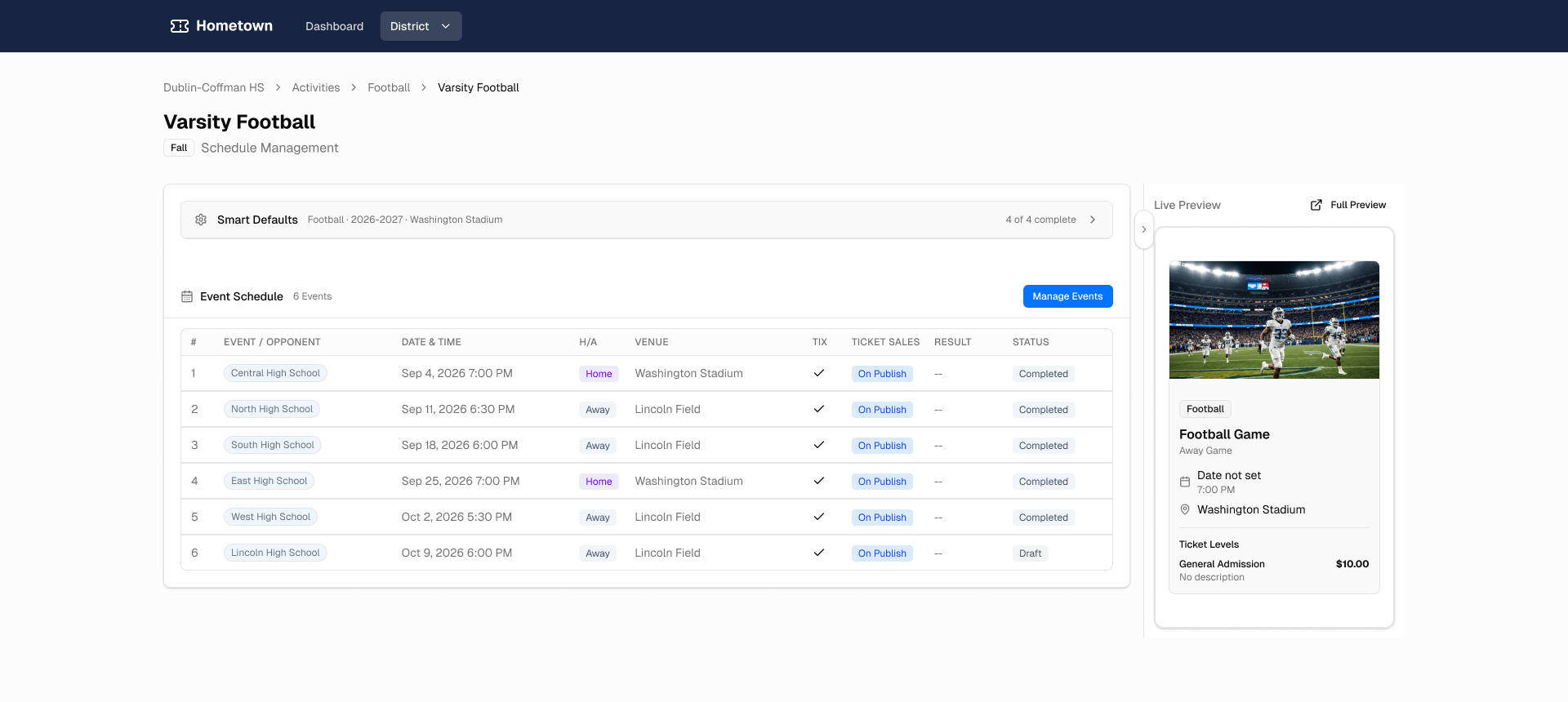
Athletic directors are the main users of Hometown, and every one of them manages schedules outside the platform. Games have to be in Hometown before directors can create and sell tickets—and ticket sales are the most critical source of revenue for these programs. Entering each schedule by hand was very time-consuming.
Schedules live everywhere else
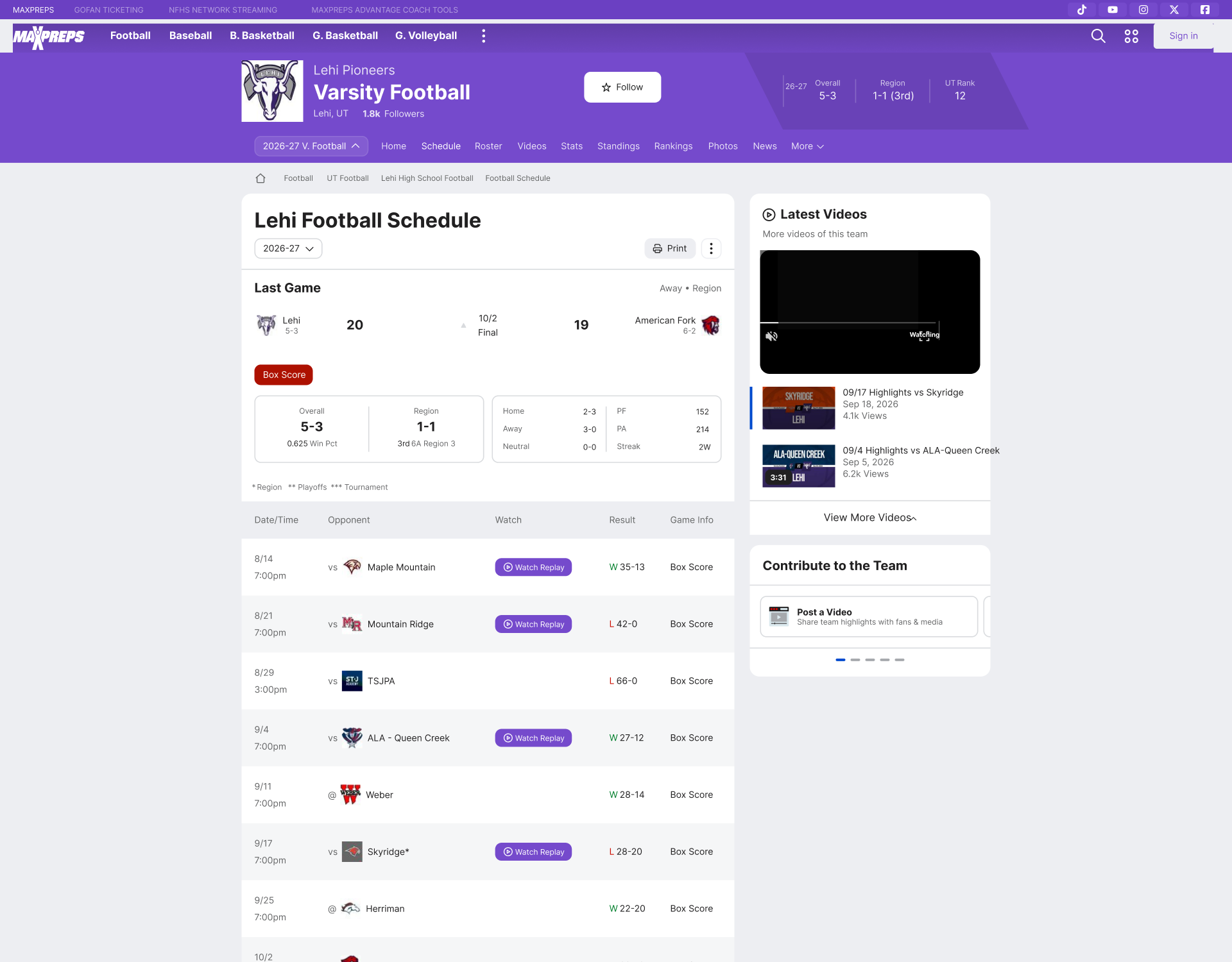
Directors already have their schedules—in spreadsheets, PDFs, league sites like MaxPreps, and screenshots. Getting that data into Hometown meant re-entering it game by game.
Import from anywhere
The AI Schedule Importer brings an existing schedule into Hometown from whatever source a director already has, in a few steps.
The whole flow in 30 seconds
From the dashboard to a populated schedule: pick a team, paste a schedule URL, let the importer extract the games, review, and import.
Start from the dashboard
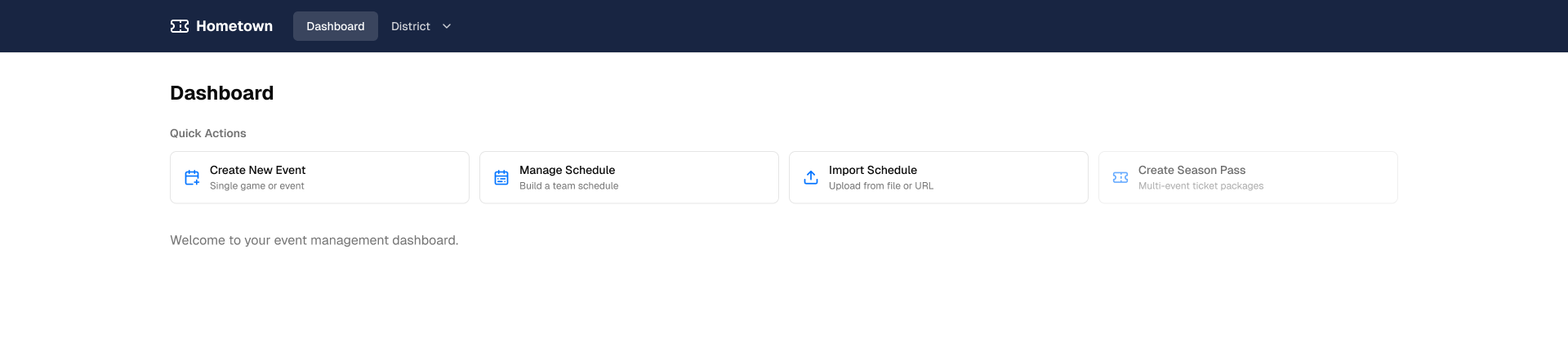
Import Schedule sits alongside the other quick actions on the dashboard.
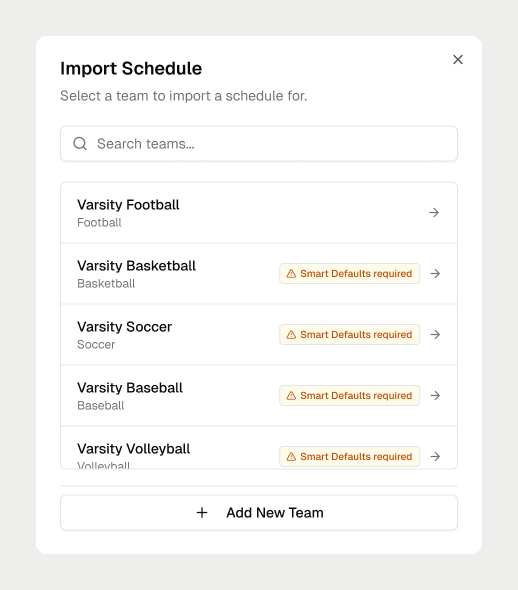
Pick the team
Directors choose which team the schedule belongs to.
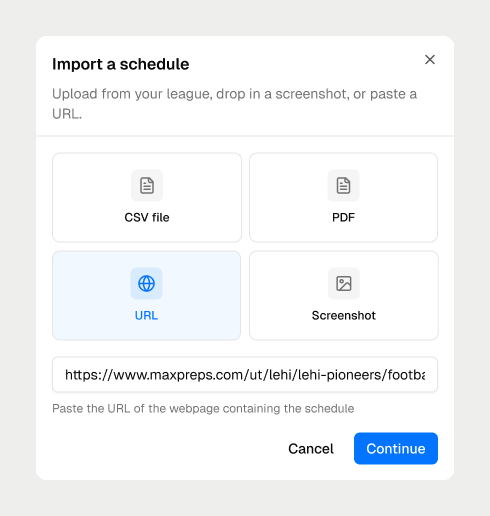
Bring any source
Upload a CSV or PDF, drop in a screenshot, or paste a URL—here, a MaxPreps schedule page.
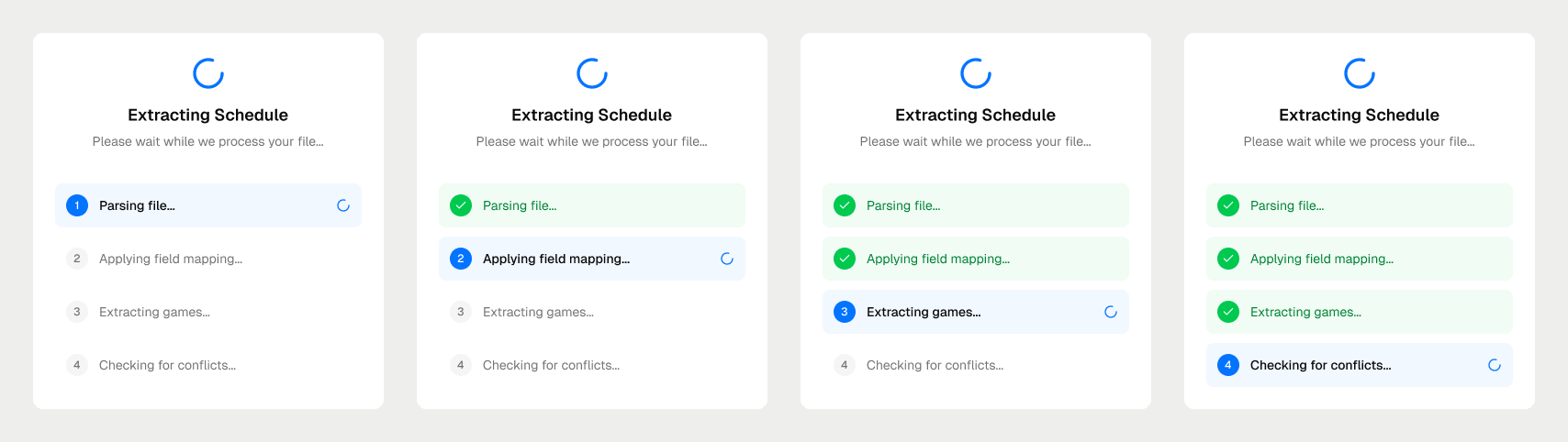
AI does the extraction
The importer parses the source, applies field mapping, extracts each game, and checks for conflicts, showing progress at every step.
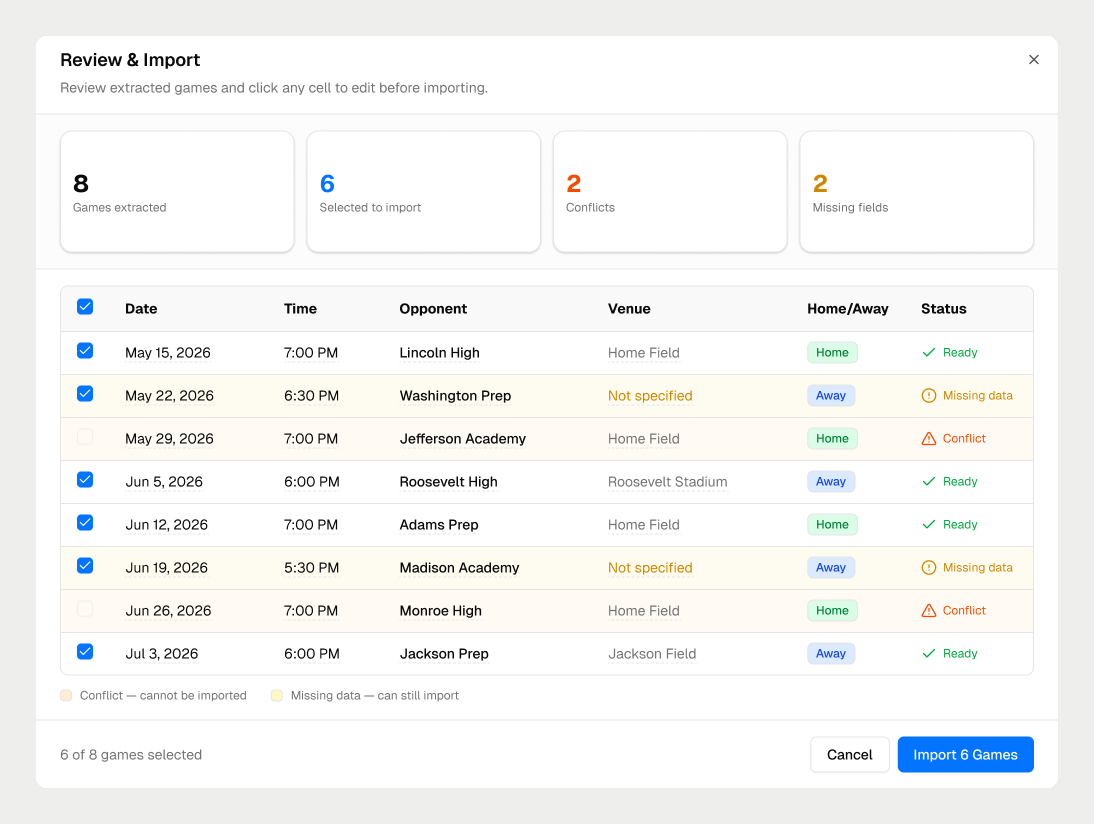
Review before it goes live
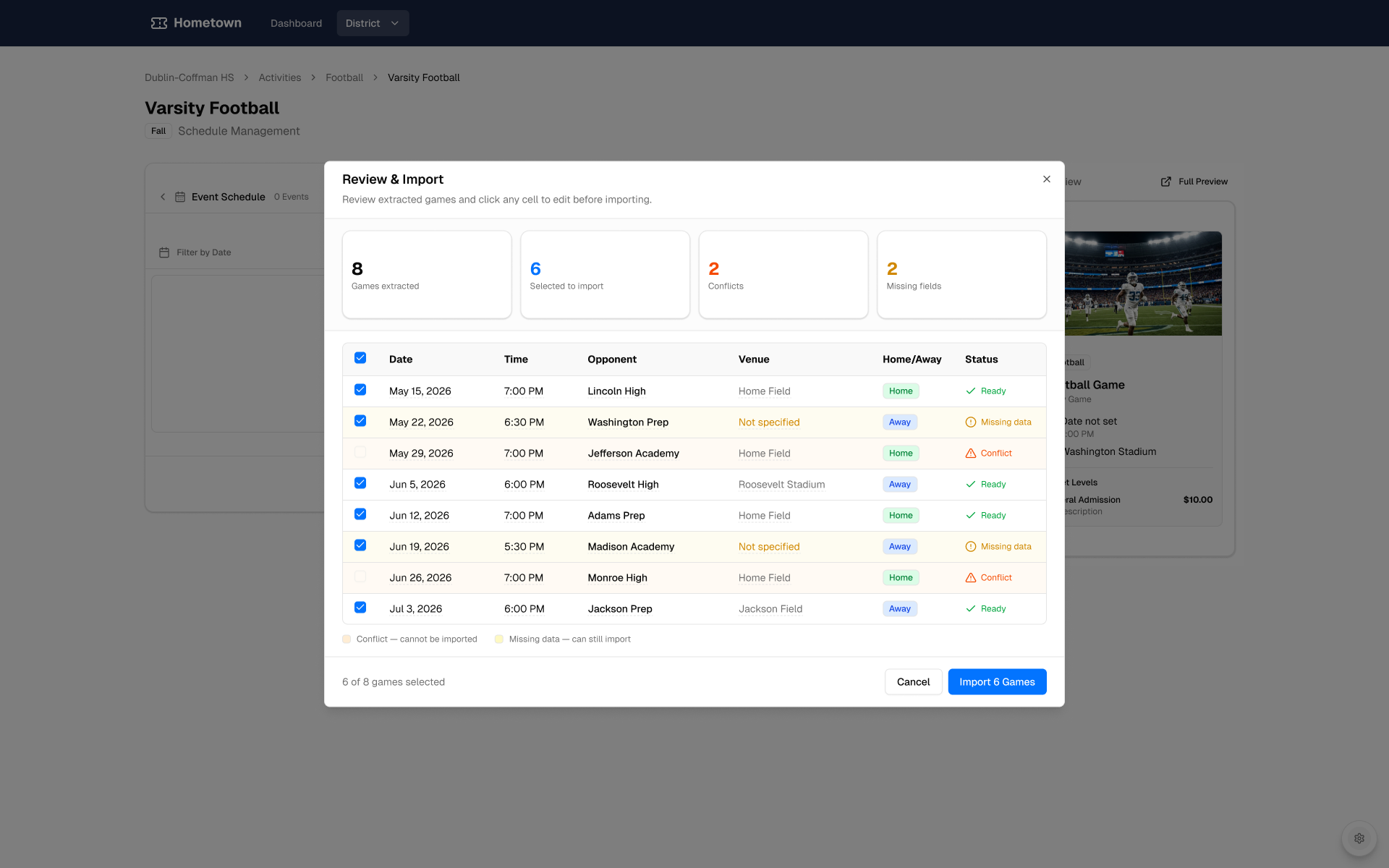
Directors stay in control. Nothing lands in the schedule until they’ve reviewed what the AI found.
Review and import
Every extracted game appears with its date, time, opponent, venue, and home or away status. Conflicts and missing fields are flagged, and any cell can be edited before importing.
A clear summary
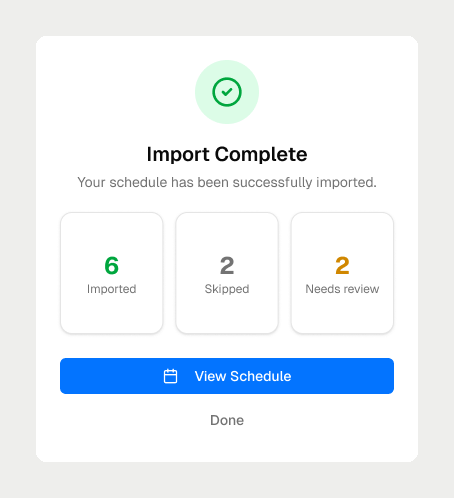
After import, a summary shows what was imported, what was skipped, and what still needs review.
Ready for ticketing
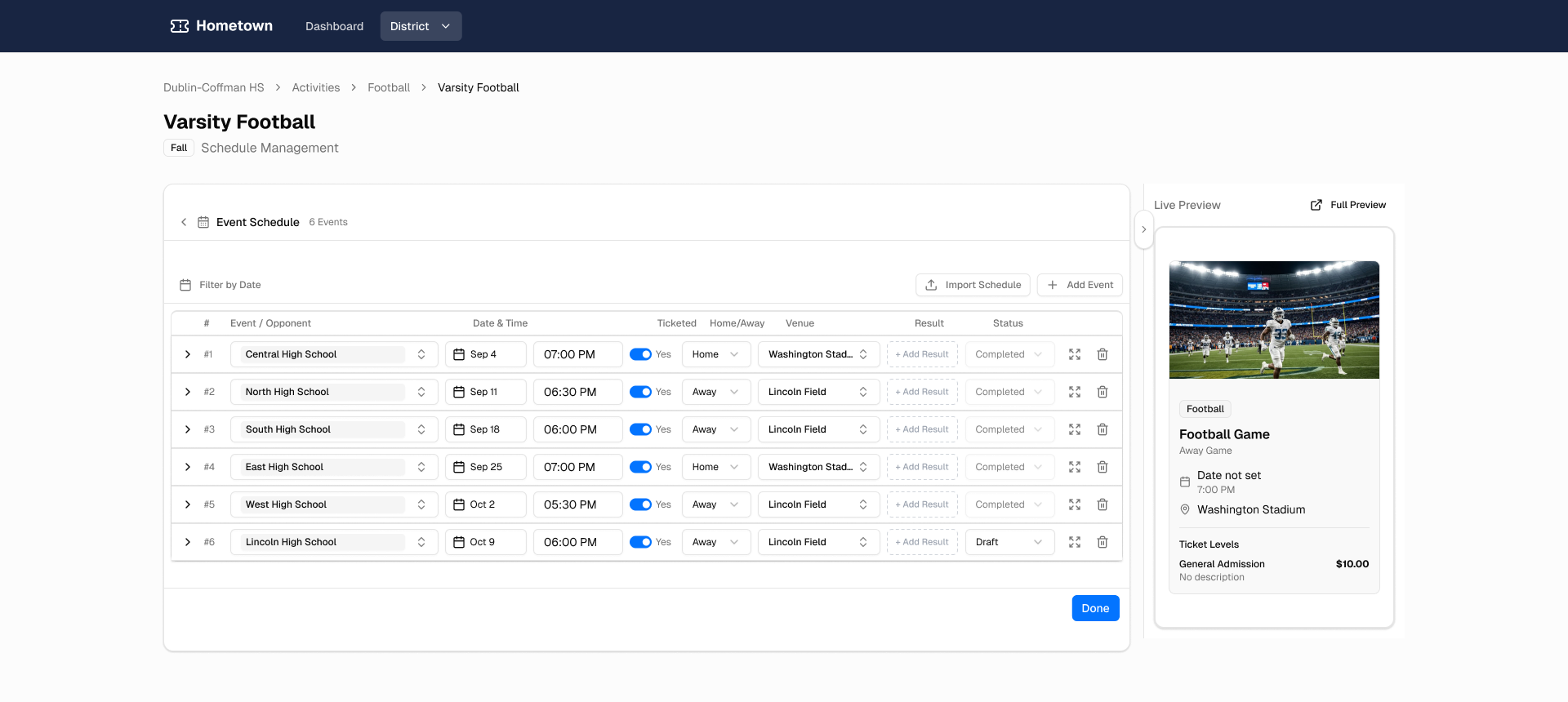
Imported games land in the team’s schedule, ready to edit and manage—so directors can move on to tickets and ticket sales.
Prototype in code
To get the feature to engineers quickly, I built it as a working prototype in code, hosted on a public testing URL.
Built with Claude Code and v0
I built the prototype with Claude Code and v0, versioned it on GitHub, and deployed it to Vercel.
One prototype, two audiences
The speed and fidelity of a working prototype let us test with users and sync with developers from the same build.
Outcome
Building the prototype in code accelerated both validation and production.
- Days, not weeks
Reduced deployment from weeks to days.
- Faster validation
Users tested a working prototype on a public URL.
- Faster production
Developers synced against the same working build.